In this article, we will discuss and explain what Integration Apps in Celigo are. This is a killer feature which every business needing to integrate applications seamlessly and rapidly needs to know about, as it might be a game changer for them.
Integration Apps (IA) are pre-built, end-to-end integrations that can be purchased from the Celigo marketplace which enable you to quickly connect your applications and start automating your business processes. They are a great way to get started with Celigo if you don’t have the time or resources to build your own integrations.
These apps are built, managed, maintained, supported, and enhanced by the app creator, which is normally either Celigo or one of their partners. So you, as a client, only need to purchase and configure them in your account. You can find a plethora of applications in the marketplace, integrating systems such as Shopify, NetSuite, Salesforce, MYOB, SAP, Magento, Microsoft Dynamics to name a few.
Think of this scenario. You are a company which needs to integrate their eCommerce Shopify website into their NetSuite ERP system. You don’t have much time to do that, and you lack the integration resources as well. On top of that, maybe the budget to implement this is low also. What do you do? What’s the solution?
IAs to the rescue. You can purchase the Shopify – NetSuite IA from Celigo which comes with tons of features covering most functionalities that are needed in such integration. You won’t sacrifice flexibility as well. The IAs allow you to apply vast configurations to modify the integrations in order to suit your business case, from modifying settings, to mappings, to behaviors. We’ll go over an example later to show how to do that. The IA does normally offer different tiers, such as basic, professional, premium, etc. Make sure to check what each tier offers and what features you are looking for in order to purchase the right tier for you.
What’s the downside? IA are not extendible. So if you need a certain integration that does not exist, you can’t add flows to the IA. So in that case, you’ll need to create your own custom flows to implement that. Should you complain though? Not really, as the IA could come with 95% of the features that you would ever need, built-in, and ready to go. Not a bad deal at all.
Example: Shopify – NetSuite Integration App
Next, we’ll showcase an IA, namely the Shopify-NetSuite IA, to make it easier to understand what IAs are, and how to configure and operate them.
Installing the IA
To use an Integration App, you simply need to install it into your Celigo account. To find the right IA, go to the marketplace section and install or request demo of the target IA

While installing it, you can configure it to connect to your specific applications by providing the right connectivity information, such as URLs, credentials, tokens, etc.
The Flows
Once installed, you can view what flows exist within the IA. You will be able to see a vast number of flows that cover different business processes. Note that this is different for each IA, but you should be able to view what flows does the IA contain even before you purchase it.

You can change the mapping of a flow, change the run schedule, and even edit the whole flow to suit your specific requirements by clicking on the respective icons. For example, here’s the customer sync flow after clicking on “Edit Flow”. You can change the behavior of this flow, if you require any change to the “default” implementation.

The Settings
Now that’s not the real power, the real deal is the amount of general and domain-specific configuration settings that you can change in the IA. Click on the Setting tab to view those
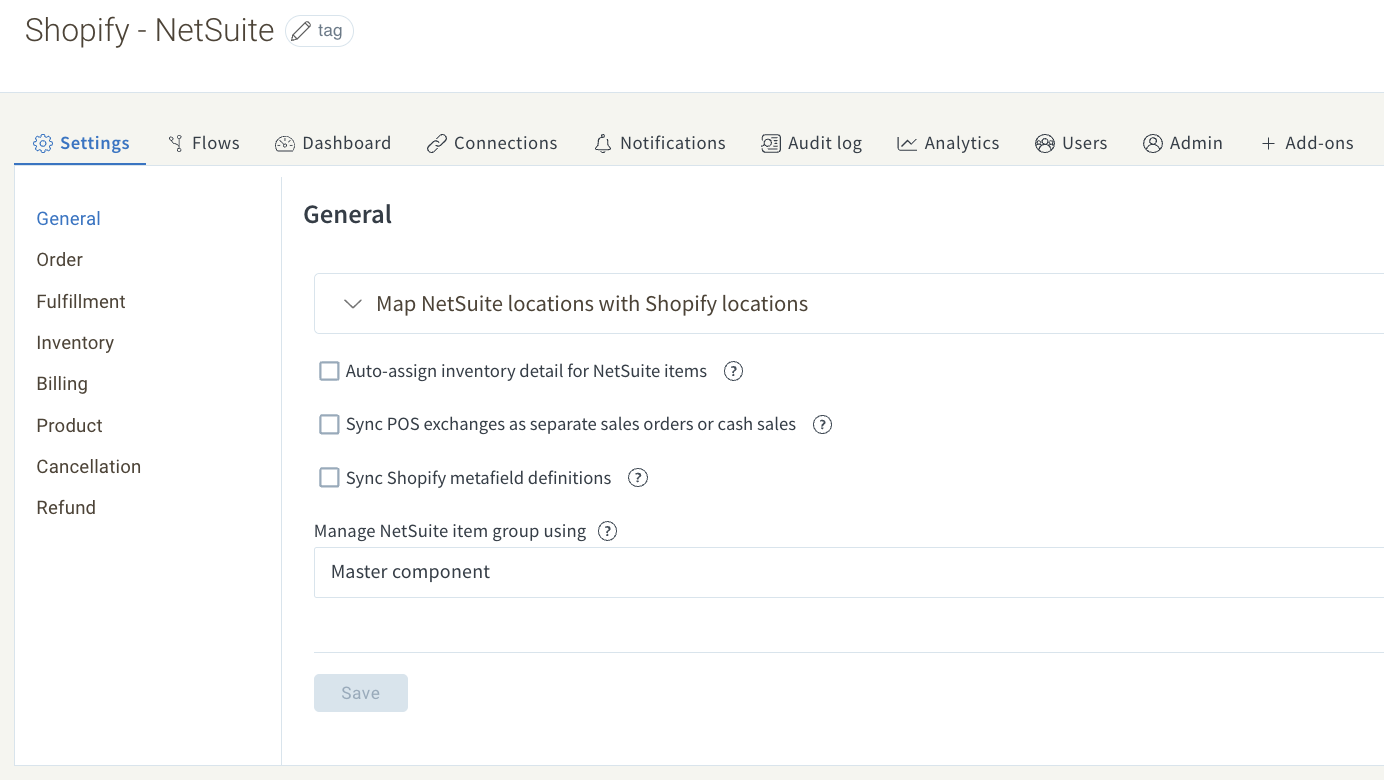
You can navigate to different categories to apply settings specific to the corresponding domain. For example, if you want to set customer handling settings while syncing sales orders, such as setting a default customer if the customer doesn’t exist in NetSuite, you can navigate to the orders group, then customers tab, as shown below
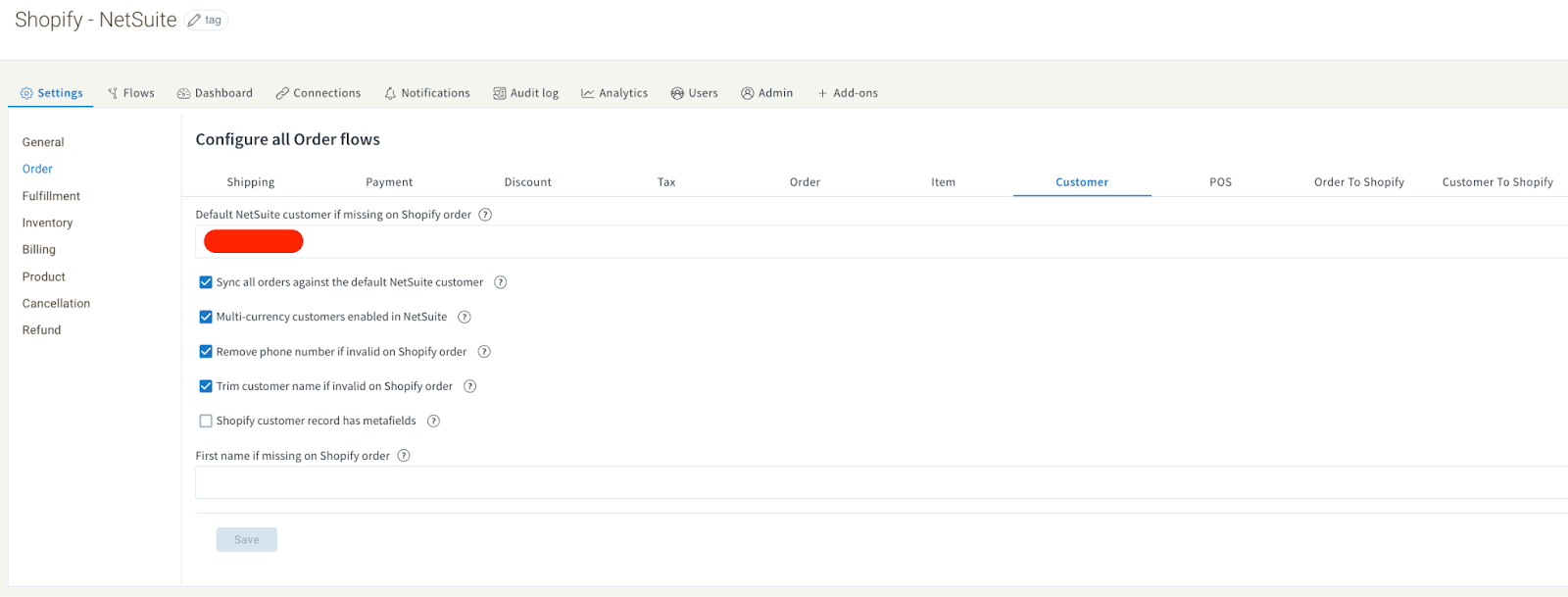
Besides that, the IA provides the default features provided in any integration in Celigo, such as the Dashboard tab, the Analytics tab, the audit log tab, as well as users to manage the current users who have access to the IA, and Admin that allows you to upgrade the IA into a higher tier with more features.
Conclusion
Integration Apps are a powerful way in Celigo to improve your business efficiency and productivity. They can help you to reduce build effort, eliminate errors and testing time, and improve your overall customer experience, providing a rapid and quick turnaround time, as well as a low cost solution for integrating existing applications within your company.